Install the served archive, then reload plugins
From the Mautic root, download the served archive, extract it into plugins/, clear the cache, and reload plugins after a database backup. Update rollback restores plugin files only; it does not reverse database migrations. Uninstall outcome is unknown because the shipped sources define no uninstall command or table/file retention policy, so back up the database and uploads before removal. No fixed installation duration is verified. These are the verified boundaries for Deal Flow 0.9.4.
Verification basis (2026-08-23): the served DealFlowBundle-latest.zip archive, the installation documentation, and the release changelog.
Before running plugin reload
- Start at the root of the target Mautic installation.
- Back up the database before
mautic:plugins:reload. - Confirm that the archive will extract as
plugins/DealFlowBundle/.
The database backup matters for both installation and update planning: file rollback does not reverse database migrations.
Installation commands
cd /path/to/mautic
wget https://dealflowplugin.com/releases/DealFlowBundle-latest.zip
unzip DealFlowBundle-latest.zip -d plugins/
php bin/console cache:clear
php bin/console mautic:plugins:reload
These commands use the actual filename served by DealFlowPlugin.com. The appropriate operating-system user and filesystem permissions depend on the customer’s Mautic deployment and are not generalized here.
Visible checkpoints after installation
After reload completes, confirm that Deal Flow screens load inside Mautic. The screenshots below show two real product screens that can be used as visible checkpoints.
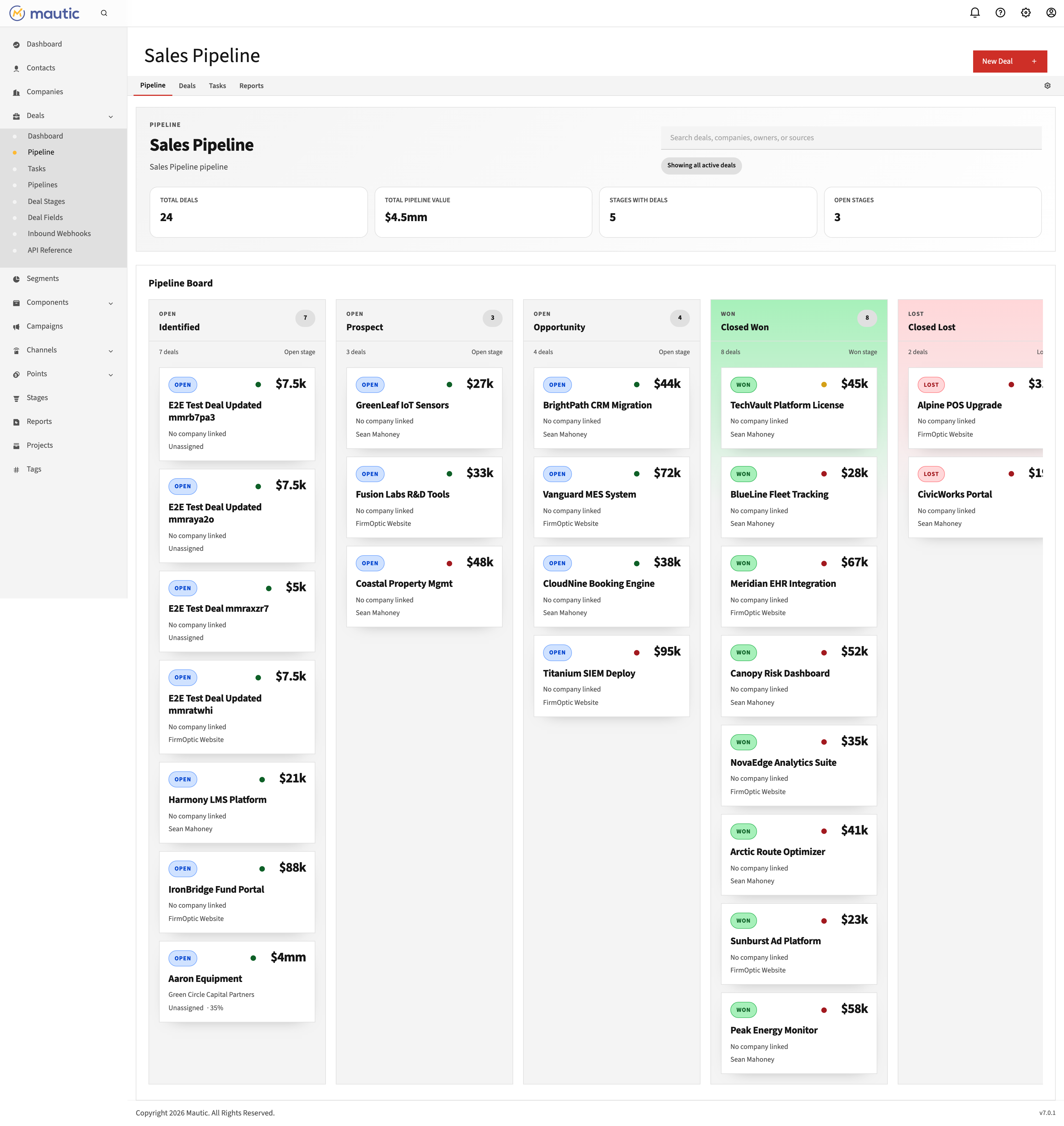
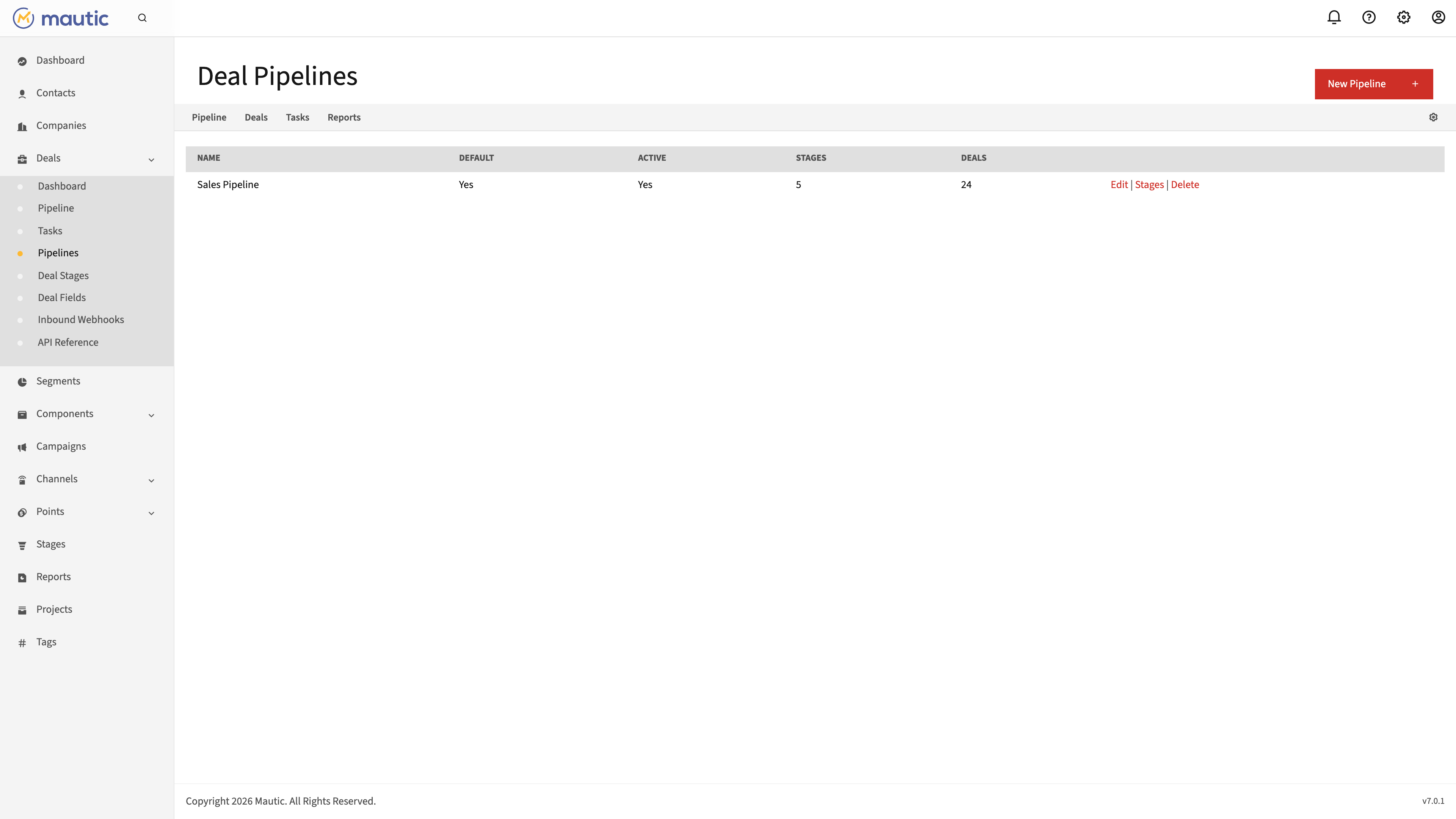
A loaded screen is one checkpoint. Also review the plugin-reload command output and the application logs for the target instance.
Check, download, and apply an update
php bin/console dealflow:update --check
php bin/console dealflow:update --download
php bin/console dealflow:update --apply
After apply, complete the shipped operational steps for the target deployment:
rm -rf var/cache/prod
rm -rf var/tmp/twig
php bin/console cache:warmup

# Only when the release requires migrations, after a database backup:
php bin/console mautic:plugins:reload
Restart the PHP runtime or PHP-FPM to clear OPcache using the deployment-specific service command for that server.
Optional file recovery
Use rollback only when an applied file update needs to be reversed; it is not the next step in a successful update sequence.
php bin/console dealflow:update --rollback
Rollback boundary: dealflow:update --rollback rolls back plugin files. It does not reverse database migrations. Keep a separate database backup from before plugin reload if database rollback may be needed.
The detailed release changelog provides release context; the compatibility matrix separates declared package requirements from recorded testing.
Uninstall data outcome: unknown
UNKNOWN: the shipped sources define no uninstall command and do not document whether plugin database tables or files under var/dealflow/uploads are retained or deleted when the plugin is removed.
Before any removal attempt, back up both the Mautic database and var/dealflow/uploads. This page does not promise that customer data will be retained, and it does not claim that customer data will be deleted. It also does not invent a table-drop or file-deletion command that the shipped product does not document.
Review Deal Flow after checking the install, rollback, and data-handling boundaries for your environment.
Explore Deal Flow Try free for 7 daysFrequently asked questions
What commands install Deal Flow?
From the Mautic root, download DealFlowBundle-latest.zip, extract it into plugins/, run php bin/console cache:clear, and run php bin/console mautic:plugins:reload. Back up the database before plugin reload because it can run database migrations.
What does the Deal Flow rollback command reverse?
php bin/console dealflow:update --rollback rolls back plugin files. It does not reverse database migrations, so a database backup is a separate part of the rollback plan.
What happens to Deal Flow data after uninstall?
Unknown. The shipped sources define no uninstall command and do not document whether plugin tables or uploaded files are retained or deleted. Back up the Mautic database and var/dealflow/uploads before removal; this page does not promise either retention or deletion.
How can an installation be verified?
After plugin reload completes, verify that Deal Flow screens load inside Mautic. The pipeline and pipeline-settings screens shown on this page are two visible checkpoints, not a substitute for checking the command output and application logs.